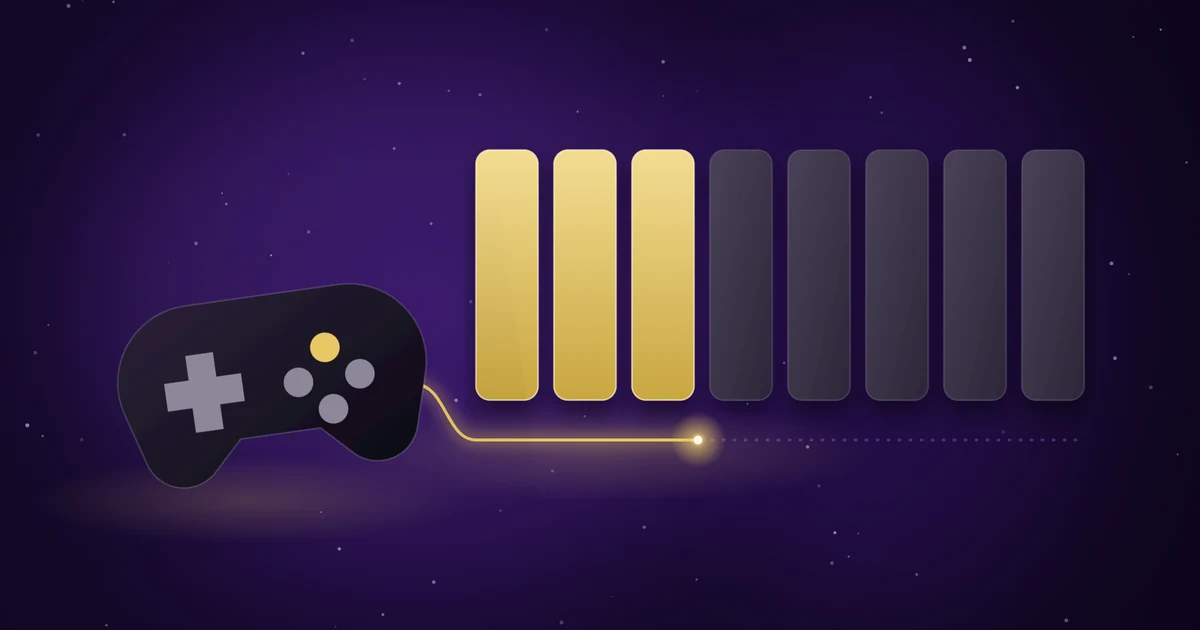
An Xbox suspension is a block Xbox puts on your account after it finds a broken rule. Under Xbox's strike system, in place since 15 August 2023, each strike expires after 6 months, and 8 strikes bring a 1-year suspension of messaging, party chat and multiplayer. For the most serious violations, Xbox can suspend an account permanently with no strikes first.
This guide explains how Xbox enforcement works, what each kind of enforcement blocks, where to see your enforcement history and how to appeal with a Case Review. Every rule here comes from Xbox's and Microsoft's own pages, as Owlibi last checked them in November 2026.
How does Xbox enforcement work?
Xbox enforcement starts when Xbox finds a broken rule in its Community Standards, the rules of the Xbox network (once called Xbox Live). Microsoft calls each result an enforcement action. Xbox finds broken rules in three ways:
- Scanning. Xbox scans text, usernames, images and other content players share, to find and remove unwanted content before it reaches other players.
- Moderators. Moderators on the Xbox Safety Team review content.
- Player reports. Players can report each other. Xbox investigates each report, and says a high number of reports doesn't by itself mean an enforcement.
Microsoft's terms also let it check any device that connects to Xbox services for hardware or software that enables cheating or tampering. Xbox doesn't say how it spots a tampered console.
Two more rules catch people out:
- Old violations count. Xbox's rules set no time limit on past violations. An enforcement can land at any time for something done in the past.
- The owner answers for the account. The profile's owner is responsible for every violation, whoever was playing. Xbox suggests a PIN on the profile so no one else can use it.
How the Xbox strike system works
The Xbox strike system counts violations on an Xbox account. Xbox started it on 15 August 2023, and enforcements from before that date carry no strikes. The worse the violation, the more strikes it brings. Xbox's enforcement strike system FAQ sets out the rules below.
What happens at 8 strikes?
At 8 strikes, Xbox suspends your social features for 1 year. That means no messaging, no party chat and no multiplayer for the year. You can still sign in to your Xbox profile, use certain apps, make purchases and play games that don't need Xbox services.
Do Xbox strikes expire?
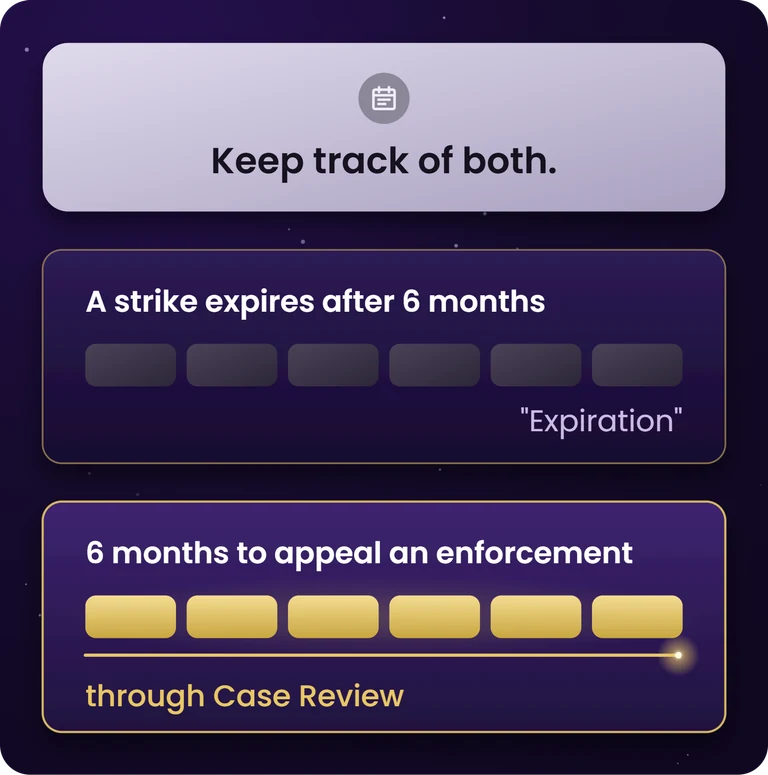
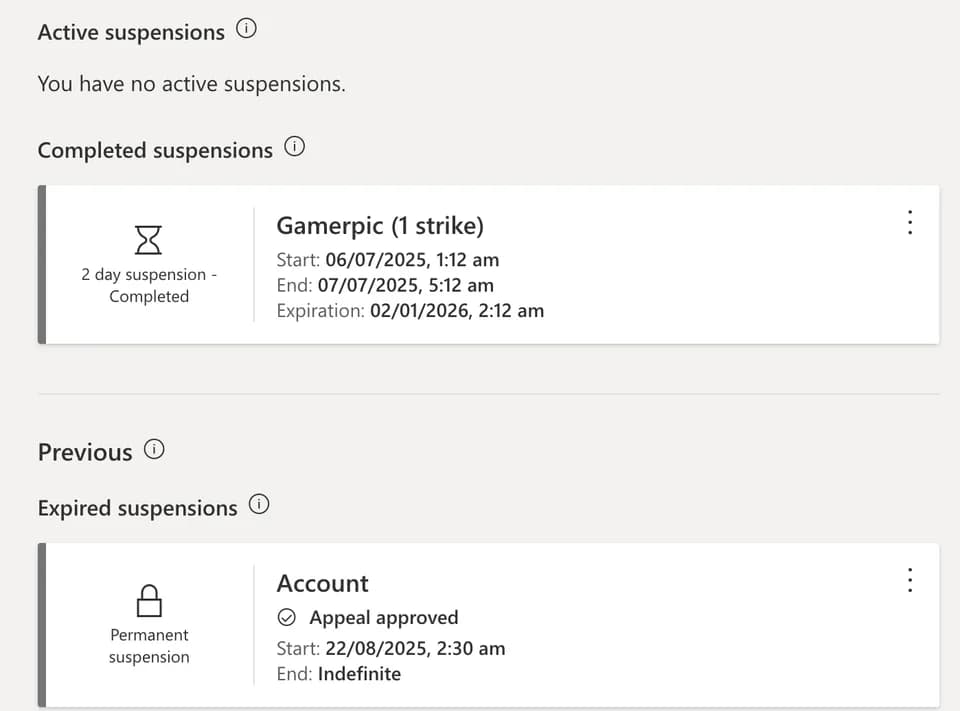
Each Xbox strike expires after 6 months, and then it no longer counts toward your total. Your Enforcements page shows the date for each strike, next to "Expiration".
Do some violations bring more than one strike?
Xbox weights strikes by how serious the violation is. Hate speech, for example, brings 3 strikes and a 3-day suspension at once.
For the most serious violations, Xbox doesn't wait for strikes at all. It can suspend the account permanently with no strikes first.
How long does an Xbox suspension last?
An Xbox suspension lasts as long as its enforcement says, and the length grows with the strikes on the account. In its announcement of 15 August 2023, Xbox named a 1-day suspension at 2 strikes and a 7-day suspension at 4 strikes. At 8 strikes, Xbox suspends social features for a year. The longest Xbox ban is a permanent suspension, with no end date, which Xbox can give for the most serious violations.
| Strikes on the account | Suspension |
|---|---|
| 2 strikes | 1 day |
| 3 strikes | 3 days (Microsoft's example: a first hate-speech enforcement) |
| 4 strikes | 7 days |
| 6 strikes | 21 days (Microsoft's example: a second hate-speech enforcement) |
| 8 strikes | 1 year without messaging, party chat, multiplayer and other social features |
| Any number, even zero | A permanent suspension, for the most serious violations |
From Xbox Wire, 15 August 2023, and Xbox's enforcement strike system FAQ. Microsoft also says the length of a temporary suspension "is dependent on the severity, frequency, and nature of the violation", so your own enforcement can show a different length.
Your own enforcement shows its reason and its impact when you open it on the Enforcements page. The section on checking your history below shows where.
What gets you suspended or banned on Xbox?
Xbox's rules link some violations to set results. These are the ones Xbox's own pages name:
| What happened | What Xbox does |
|---|---|
| Hate speech | 3 strikes and a 3-day suspension |
| Cheating | A permanent suspension |
| Choosing to play with someone who uses unauthorized mods | A permanent suspension (Xbox counts it as cheating) |
| Modding save data or account tenure | A permanent suspension |
| Modding gamerscore or achievements | A gamerscore reset, sometimes with a suspension |
| Chargeback abuse on purchases ("marketplace theft") | A suspension or a permanent suspension |
| Buying game codes from illegitimate websites (also "marketplace theft") | A suspension or a permanent suspension |
| The most serious violations | A permanent suspension, with no strikes first |
What a permanent Xbox suspension takes away
A permanent Xbox suspension costs more than online play. Under Microsoft's terms and Xbox's Community Standards, you lose your content licenses, your memberships and your Microsoft account balance.
In practice, Xbox's enforcement FAQ says:
- Downloaded games and content still work offline.
- Consumables and your account balance are lost.
- Your Xbox subscriptions are canceled.
- Your Microsoft account itself stays, and you can still sign in to it.
Xbox console and device bans
An Xbox device ban blocks the console, not only the profile. Xbox's device-ban rules work differently from suspensions:
- The ban follows the console. If the console is sold, the new owner inherits the ban.
- Your profile still works on other devices.
- The console still works offline. Its external storage also still works and can move to a console that isn't banned.
- Xbox 360 device bans are always permanent. On Xbox One, Xbox Series X|S and Windows, a device suspension can be temporary or permanent.
- Case Review can't touch a device ban. Device bans aren't eligible, and Xbox says its Safety team can't lift them.
Buying a used console? A device ban from its last owner comes with it. Other games have hardware bans of their own: Owlibi's guide to HWID bans covers Roblox, Fortnite, Valorant, Rust and FiveM.
How to check your Xbox enforcement history
Your Xbox enforcement history, your strike count and your Xbox ban status all live on Xbox's Enforcements page. Here's how to read it:
- Sign in to the Enforcements page with the account the enforcement is on.
- Pick the account. If you organize an Xbox family group, choose the child's account under "Showing enforcements for".
- Find the enforcement. Enforcements sit in lists such as "Active suspensions" and "Completed suspensions".
- Click it. A pop-up shows the reason for the action, its impact and its dates.
- Look for the button. If the enforcement can be appealed, the pop-up shows "Submit an appeal". No button means no appeal for that one.
Xbox customer support can't see your enforcements or help with them. Case Review is the only way to reach Xbox Safety.
How to get unsuspended on Xbox: the Case Review
A Case Review is the only way to ask Xbox to lift a suspension. You file it from the same Enforcements page. Xbox's button for it reads "Submit an appeal". You don't type a ticket number: you pick the enforcement from your history.
- Open the enforcement on the Enforcements page.
- Click "Submit an appeal".
- Explain what happened, and add any new information Xbox didn't have.
- Click "Submit".
Six rules apply:
- Not every enforcement qualifies. Xbox's Digital Safety page lists shorter suspensions, content takedowns with no suspension, and suspensions that have ended.
- 6 months to file. You have 6 months to appeal a decision that can be appealed.
- Children's accounts. For a child's account, the family group organizer signs in and files.
- No device bans. Device bans can't go through Case Review.
- Mind your words. Abusive or profane appeal text can get the case review closed, and can bring a new enforcement.
- A win clears the strike. If Case Review approves your appeal, Xbox reverses the enforcement and removes its strike.
Want help with the wording? Owlibi's appeal help for Xbox suspensions covers the Case Review and the routes after it. For appeals on any platform, Owlibi's guide on what to say in a ban appeal letter covers what to put in and what to leave out.
What happens after you submit
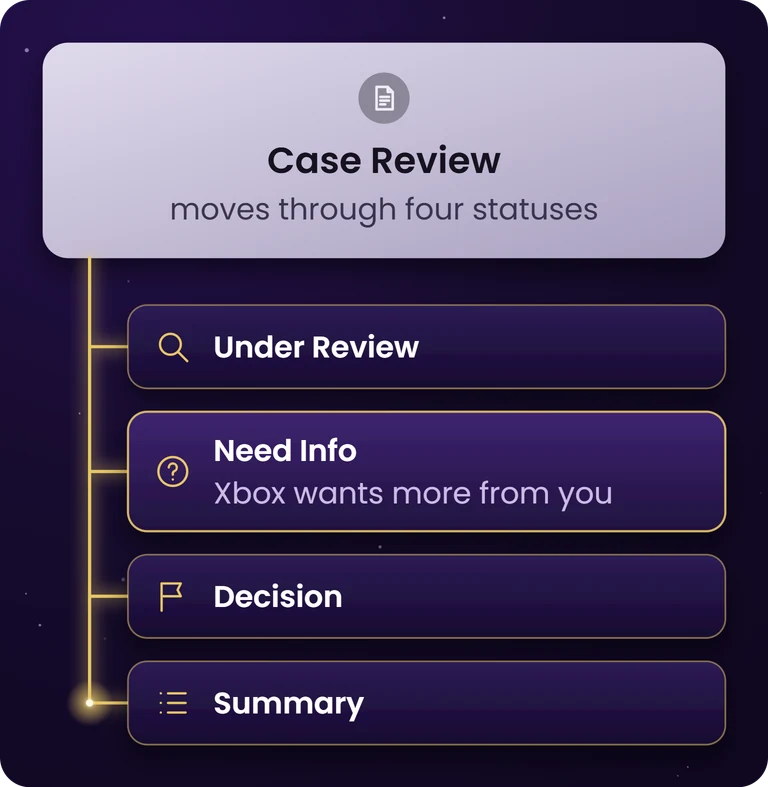
A Case Review moves through four statuses: "Under Review", then "Need Info", then "Decision", then "Summary". "Need Info" means Xbox wants more from you: read the agent's latest comment and answer it.
How long does an Xbox Case Review take?
An Xbox Case Review takes about 14 days, by Microsoft's own estimate. The result comes by email, and its status shows in your enforcement history.
Not every block is an Xbox enforcement
Some blocks on an Xbox look like a suspension but go somewhere else:
- A ban in one game. Game-specific suspensions come from the game's developer. They're outside Xbox's enforcement, so they go to that developer. Owlibi also offers game ban appeal help for other games and consoles. Banned in Minecraft rather than on Xbox as a whole? Minecraft ban appeal help covers that case.
- A device ban. Case Review can't lift an Xbox device ban.
- A locked Microsoft account. If Microsoft locked your whole Microsoft account, that's a separate process with its own "Request for Account Reinstatement" form. Microsoft calls that form "the only way to have us review and reinstate your account." Microsoft's own pages disagree on what happens next. The form says Microsoft may not contact you and gives no status updates, while Microsoft's help page for locked accounts says a representative writes back by email with updates.
What if your Xbox Case Review is denied?
A denied Xbox Case Review still counts: it proves you used Xbox's own appeal first. After a denial, the enforcement and its strike stay on the account. Xbox's own page says "All appeal decisions are final." Keep two things, the enforcement notice and the email with the denial.
In the EU, Microsoft's appeals page says you may take a moderation decision to any certified dispute body, once you've appealed it. Owlibi's guide on what to do when an appeal is rejected walks through the next steps.
What to do after an Xbox suspension
Start with what the enforcement is, then act. These steps keep your options open:
- Check the Enforcements page. Note each enforcement, its date, its cause and its effect.
- Save the evidence. Screenshot the enforcement pop-up, and keep every email from Xbox.
- Check what you have. An Xbox enforcement, a device ban, a game's own ban or a locked Microsoft account each go to a different place.
- Skip customer support. It can't see enforcements.
- File a Case Review within 6 months, if "Submit an appeal" shows.
- Keep the decision email. It matters if Case Review says no.
- Keep your login to yourself. Never share a password or a code with anyone who offers to lift a suspension.
Owlibi never messages anyone first, and never asks for a password, a code or ID.
Case Review is Xbox's own door, and it's one route of several. Owlibi prepares the letters for every route your case allows, from the Case Review to a data request to Microsoft, a dispute body or a consumer authority. A person writes every letter, and you send each one yourself. We don't guarantee unbans.
Not sure what's left? Tell us in the free case check. We answer by email within 24 hours with whether we take your case and what it costs.

Written by
Owlibi
Owlibi is a specialist account appeal service preparing personalised appeals, escalation letters and step-by-step guidance beyond the standard appeal process.
About Owlibi